
Tasks in your pocket. Get the app.
The Hawkit New app for Android puts every task, proof and withdrawal on your phone, and tells you when new tasks land.
On a computer? Scan with your Android phone.
On an iPhone? Use hawkit.com.ng in your browser.
Know when a new task lands
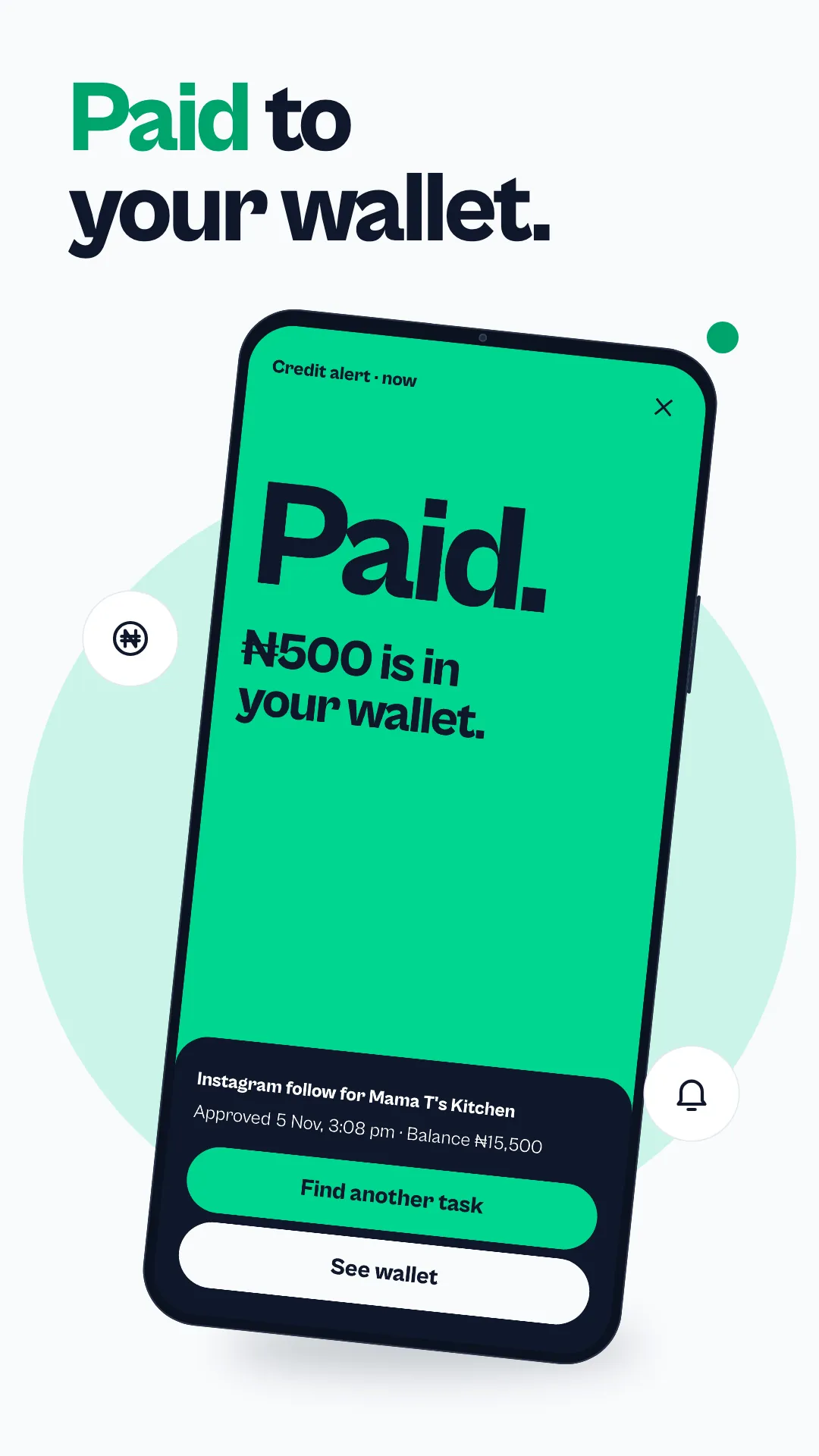
Turn on notifications and your phone tells you when new tasks arrive and when a payment reaches your wallet. Slots fill up, so the alert gives you a head start. The app asks before it sends any.
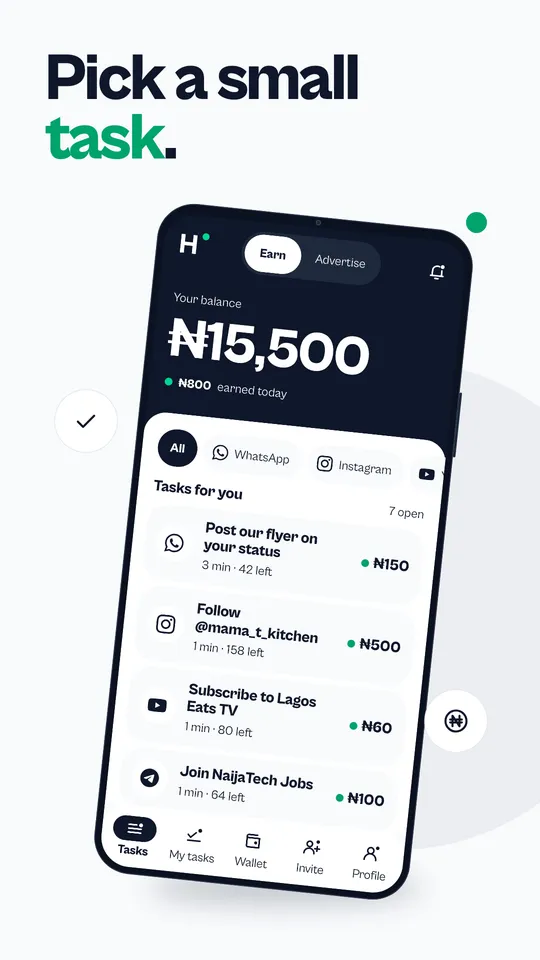
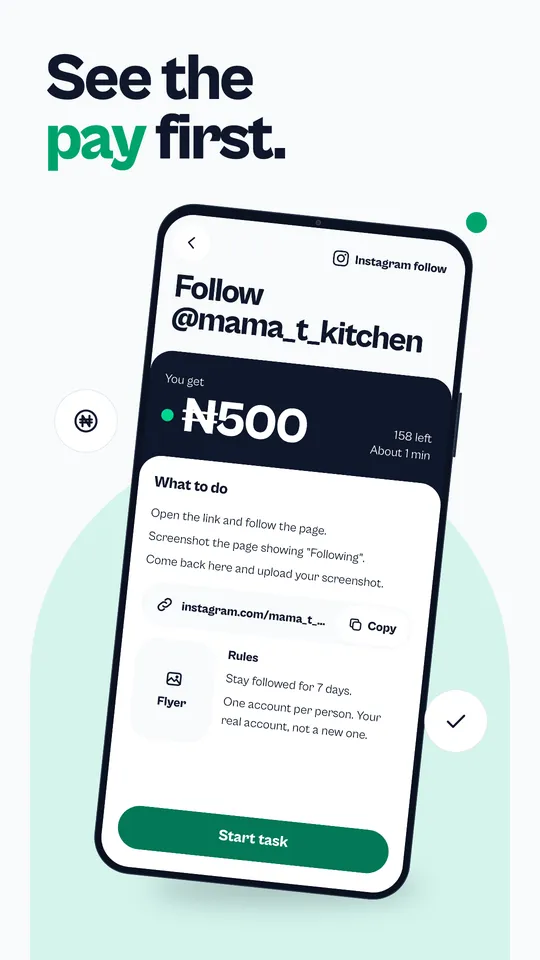
See the pay before you start
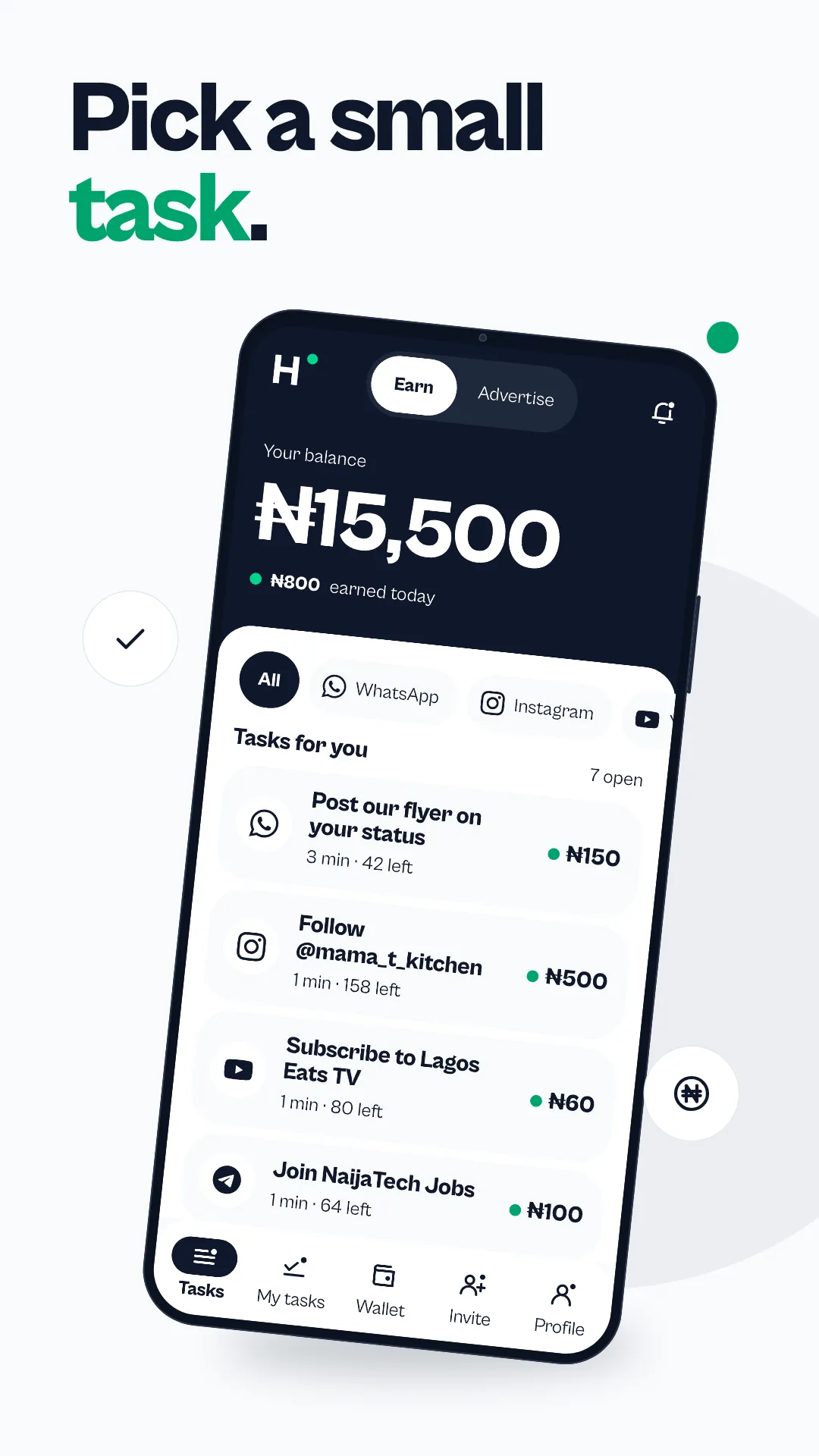
Every task shows what it pays, how long it takes and how many slots are left. Filter by WhatsApp, Instagram, YouTube, TikTok, Facebook, X or Telegram and pick what suits you.
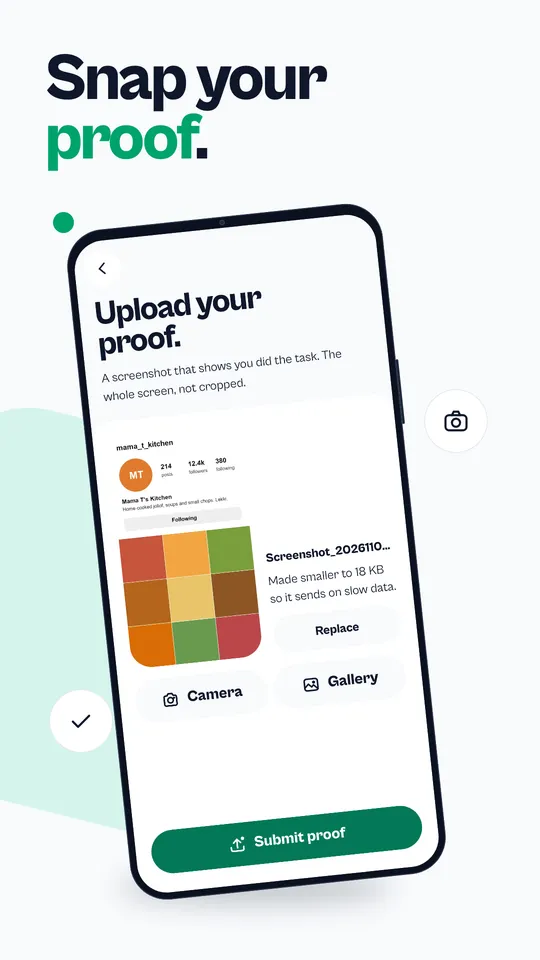
Send proof in a few taps
Do the task, take a screenshot and upload it from your gallery or camera. The app shrinks the image so it sends on slow data.
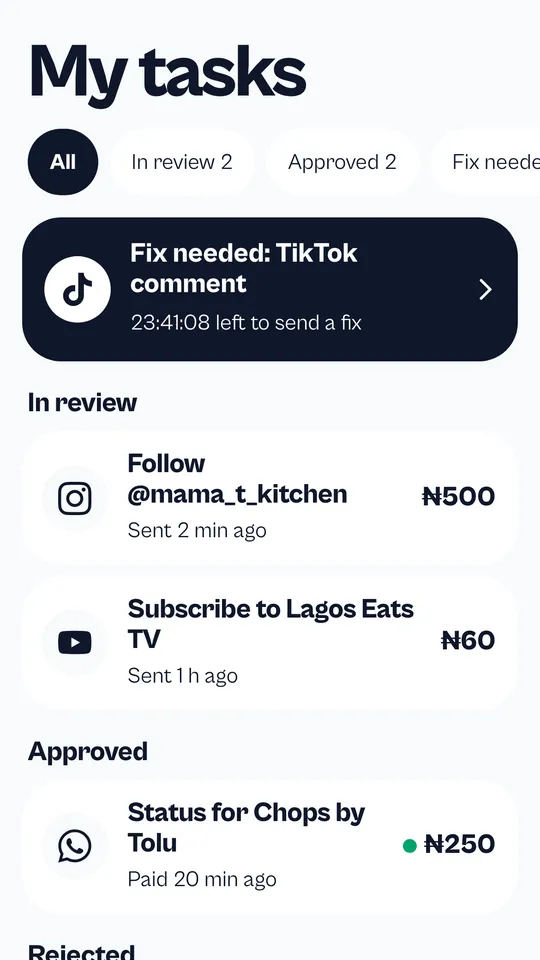
Manage your tasks in one list
My tasks shows every task you have done: in review, approved or fix needed. If a proof is rejected, a timer shows how long you have left to send a fix, right from the same list.
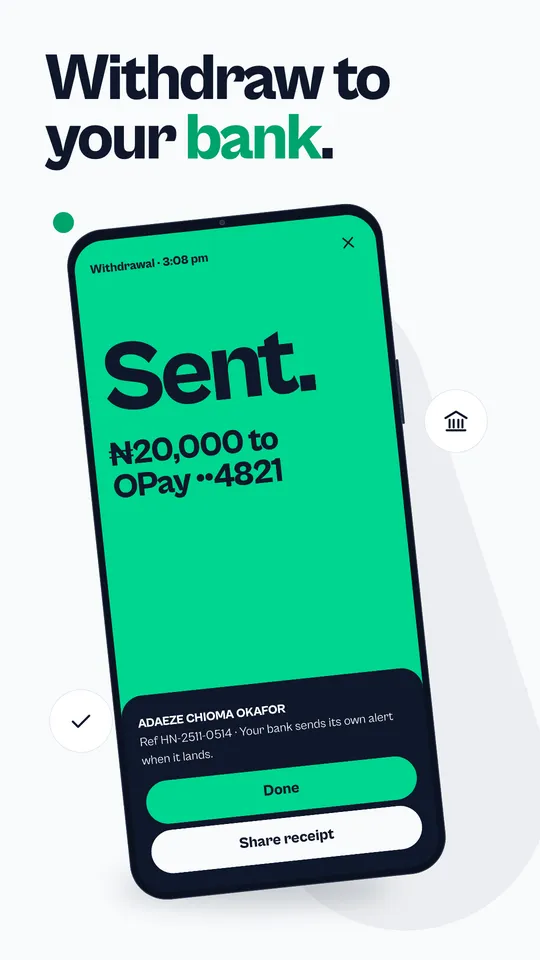
Withdraw with your fingerprint
Send your balance to your own Nigerian bank account, such as GTBank, Access, OPay, Kuda or Moniepoint. You confirm each withdrawal with your fingerprint, face or PIN.
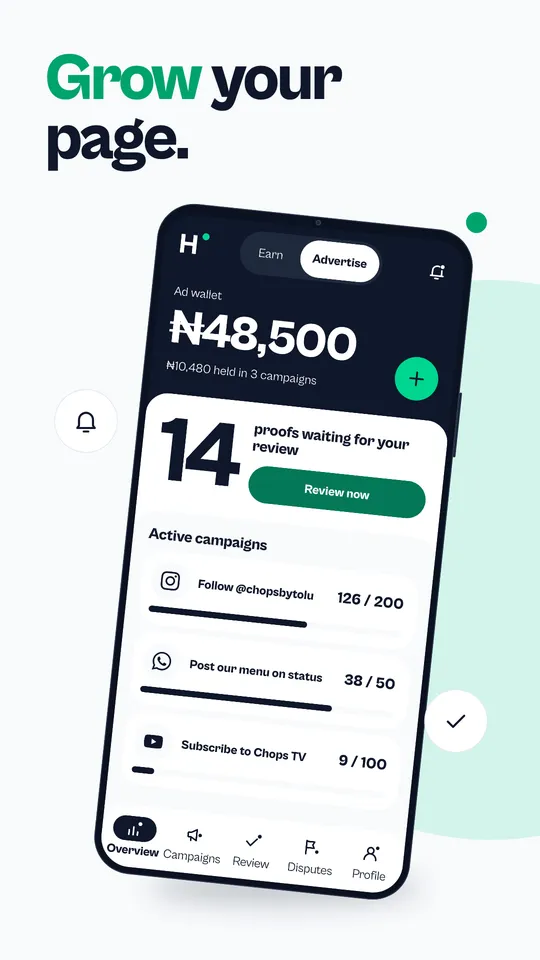
Run your campaigns on the go
Advertisers switch to Advertise with one tap: watch each live campaign's progress against its target, pause or resume it, and approve or reject proofs from your phone.
Start in four steps
- Open Hawkit New on Google Play and tap Install.
- Sign in with your Hawkit New account, or create one in the app.
- Allow notifications so you hear about new tasks.
- Switch to Earn, pick a task, do it and upload your screenshot.
Questions
Where can I download the Hawkit New app?
On Google Play. Search for Hawkit New or use the Get it on Google Play button on this page.
Is there a Hawkit New app for iPhone?
Not yet. On an iPhone, use hawkit.com.ng in Safari or Chrome. Your account, tasks and wallet are the same.
Can I use my website account in the app?
Yes. It is one account. Sign in with the same details and your balance, tasks and history are there.
Does the app work on a low-end phone or slow data?
Yes. It is built to be light, and it shrinks proof screenshots before sending them so they go through on slow data.
How do I get notified about new tasks?
Allow notifications when the app asks. You can turn them off any time in your phone settings.
How much can I make with the app?
Tasks depend on advertisers, so what is available changes through the day. It is a way to make small extra money, not a salary.