Hawkit New app: earn from small tasks on your Android phone
By the Hawkit New team · · 6 min read
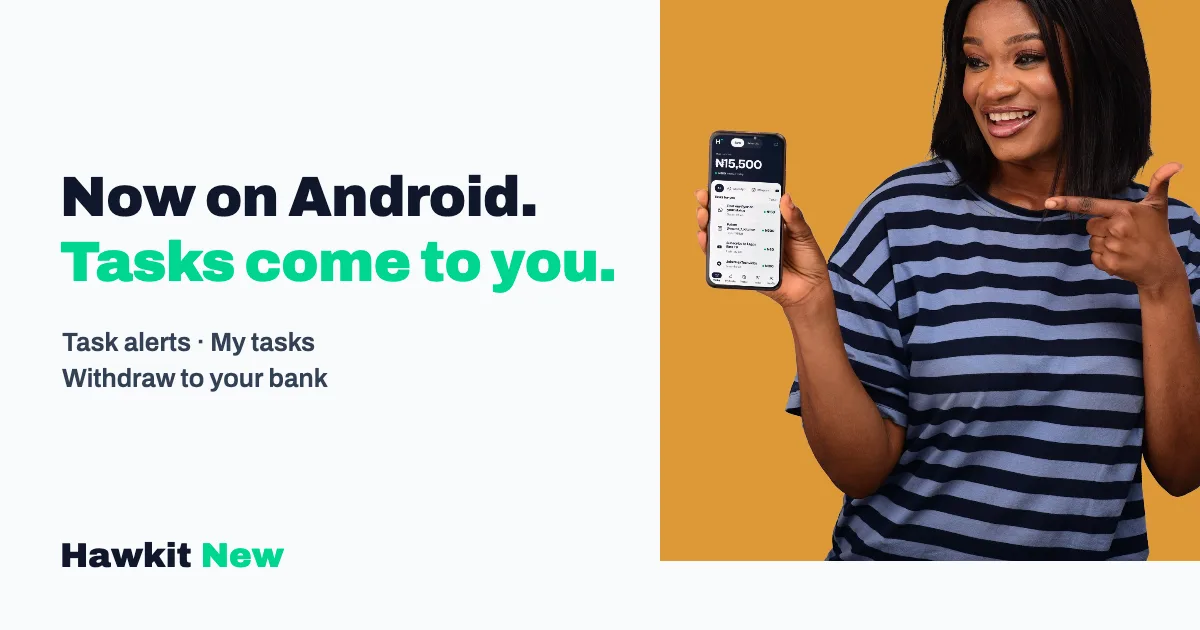
The Hawkit New app is now on Google Play, and it's the easiest way to earn money online from small social media tasks on your phone. You pick a task, do it, upload a screenshot, and the pay lands in your wallet once the advertiser approves it. The app adds the one thing the website can't do well: it tells you when a new task is posted.
If you already use hawkit.com.ng, nothing changes about your account. Same login, same balance. The app just makes the whole thing faster.
What is the Hawkit New app?
Hawkit New is a task app for Nigerians. Businesses and creators pay for small actions, like a follow on Instagram or a flyer on your WhatsApp status, and you get paid for doing them. The app puts the task list, your proofs, your wallet and your withdrawals in one place on your Android phone.
There are two sides in one account. Earn is for doing tasks. Advertise is for people who want real people to do tasks for their page or business. You switch between them with one tap at the top of the screen.
Tasks you'll see on the Earn side include:
- Posting a flyer on your WhatsApp status
- Following a page on Instagram
- Subscribing to a channel or watching a video on YouTube
- Joining a Telegram channel
- Liking, commenting or following on TikTok, Facebook and X
Most take a minute or three. That's the whole idea of micro tasks: small jobs you can fit into a bus ride, a break at work or the ten minutes before your shop gets busy.
How easy is it to start earning on the app?
It's easy. Install the app, log in or sign up, switch to Earn and tap a task. Every task card shows three things before you commit: how much it pays, how many slots are left, and roughly how long it takes. No surprises after you've already done the work.
Here's the flow from start to finish:
- Pick a task. The home screen shows tasks for you, with filters for WhatsApp, Instagram, YouTube and the rest.
- Do it. Tap the task, open the link, follow the instructions.
- Upload your proof. Take a screenshot and upload it. The app shrinks the image before sending, so it goes through even on slow data.
- Wait for approval. The advertiser checks your proof. When they approve it, you get a credit alert and the pay moves into your wallet.
The pay for each task is held until the advertiser approves your proof, so the money is already set aside. The advertiser just has to confirm you did the work.
WhatsApp status tasks are the only ones with a wait built in. The status has to stay up for the full 24 hours, and you send two screenshots: one when you post and one showing the view count at the end. If you've never done these, our post on how WhatsApp status adverts pay explains the rules in more detail.
How do task alerts tell you when there's a new task?
Turn on task alerts and the app pings you when a task you can do is posted. Go to Profile, then Task alerts, and switch on New task alerts. The app asks your permission before it sends anything, so you stay in control.
This matters more than it sounds. Good tasks go fast. A campaign might have 40 slots, and the people who see it first take them. On the website you only find out when you check. In the app, your phone tells you.
You can shape the alerts to fit your day:
- Pick your platforms. Only want WhatsApp and Instagram tasks? Switch the others off and you won't hear about them.
- Set quiet hours. Switch on "No task alerts at night" and the app stays silent from 10pm to 7am by default. You can change both times.
- Payment alerts. When a proof is approved, you get told that too, so you know the money is in.
Honestly, quiet hours is the setting we'd turn on first. Nobody needs a ping about a TikTok follow at 2am.
How do you manage your tasks in the app?
Every task you've done lives in My tasks, sorted into tabs: All, In review, Approved, Fix needed and Rejected. One look tells you what's still waiting, what's paid, and what needs your attention.
Fix needed is the tab to watch. If an advertiser rejects a proof, maybe the screenshot was cut off or the wrong account showed, the task lands here with their reason. You get 24 hours to upload a better one. Miss that window and the slot goes back to the advertiser for another earner to take. So a quick check of this tab once a day saves you money you'd otherwise lose.
The home screen shows your balance and what you earned today, and the wallet keeps your history grouped by date. Every naira in and out is listed, which makes it easy to see which kinds of tasks are worth your time.
How do withdrawals work?
You withdraw from the Wallet tab to your own Nigerian bank account, such as GTBank, Access, OPay, Kuda or Moniepoint. The name on the bank account has to match the name on your Hawkit New account. That rule stops someone who gets into your account from sending your money elsewhere.
Each withdrawal is confirmed with your phone's fingerprint, face or PIN. It's one extra tap, and it's worth it. If your phone ever gets stolen, the thief still can't move your balance.
Want more detail on bank transfers, timing and what to do if a payout is slow? See our guide on withdrawing online earnings to a Nigerian bank.
Does the app work on a cheap phone or with poor network?
Yes. The app was built for low-end Android phones and patchy data. Screenshots are compressed before upload, and when your network drops the app shows the last data it saved instead of a blank screen, with a button to try again once you're back online.
It also has light and dark modes. Dark mode is easier on the eyes at night.
Can businesses use the app to advertise?
Yes. Switch to the Advertise side and you can run a campaign from your phone. Fund your ad wallet, pick the platform and task type, add your link and a flyer, then set how many people you want and what each one gets paid.
Your campaigns sit under three tabs: Active, Paused and Finished. You can pause a live campaign at any time and resume it later, watch how many people have done the task against your target, and approve or reject each proof one by one. You only pay for proofs you approve, and unused slots go back to your wallet.
For a small shop trying to get WhatsApp status views or real Instagram followers in Nigeria, that's a lot of control from one screen.
Is the Hawkit New app worth it?
If you want a side hustle in Nigeria that fits into spare minutes, yes, it's worth a try. Be realistic, though. Tasks depend on what advertisers post, so some hours are busy and some are quiet. Task pay usually runs from about ₦20 to a few hundred naira, which adds up to small extra money, not a salary.
That's our one bit of advice for any earning app, this one included: treat it as top-up money and you won't be disappointed. Anyone promising a fixed daily income from tapping a phone is selling something else. If you're comparing options, our breakdown of money making apps in Nigeria sorts them by what you have to offer, and social media task apps in Nigeria compares task apps directly.
You must be 18 or older to use Hawkit New.
How do I download the Hawkit New app?
Open Hawkit New on Google Play and tap Install. Then log in with your existing account or sign up, switch on task alerts, and pick your first task.
On an iPhone? There's no iPhone app yet. You can still create your account on hawkit.com.ng and do tasks in your browser, and everything carries over the day an iPhone version arrives.
Ready to start? Get the Hawkit New app on Google Play and turn on task alerts, so the next good task finds you first.
Questions
Where can I download the Hawkit New app?
The Hawkit New app is on Google Play for Android phones. Search for Hawkit New or open the Play link on hawkit.com.ng. There's no iPhone app yet, so iPhone users can sign up and do tasks on hawkit.com.ng in the browser.
Can I use my website account in the app?
Yes. It's the same account. Log in on the app with the email or phone number and password you used on hawkit.com.ng, and your balance, tasks and bank details are all there.
How do I get notified when a new task is posted?
Open Profile, then Task alerts, and switch on New task alerts. You can choose the platforms you care about, such as WhatsApp or Instagram, and set quiet hours so alerts stop at night. The app asks your permission before it sends any notifications.
What happens if my proof is rejected?
The task moves to Fix needed in My tasks with the advertiser's reason. You have 24 hours to upload a better screenshot. If you don't, the slot goes back to the advertiser and another earner can take it.
How much can I make on the Hawkit New app?
It depends on the tasks advertisers post, and that changes through the day. Each task shows its pay before you start, usually from about ₦20 to a few hundred naira. Treat it as small extra money, not a salary.